iPhone 向け・聞き流し暗記カード

問いと答えを入れたら、
あとは耳で覚える。

「ききおぼえ」は、自分で作った問いと答えのカードを、問い → 考える間 → 答え の順に読み上げるアプリです。通勤の電車で、食器を洗いながら、布団に入ってから。目と手を使わずに、覚えたいことを何度でも回せます。

App Store で見る(準備中)

iPhone 専用の有料アプリです。一度買えば、すべての機能が使えます。あとからお金はかかりません。広告もありません。
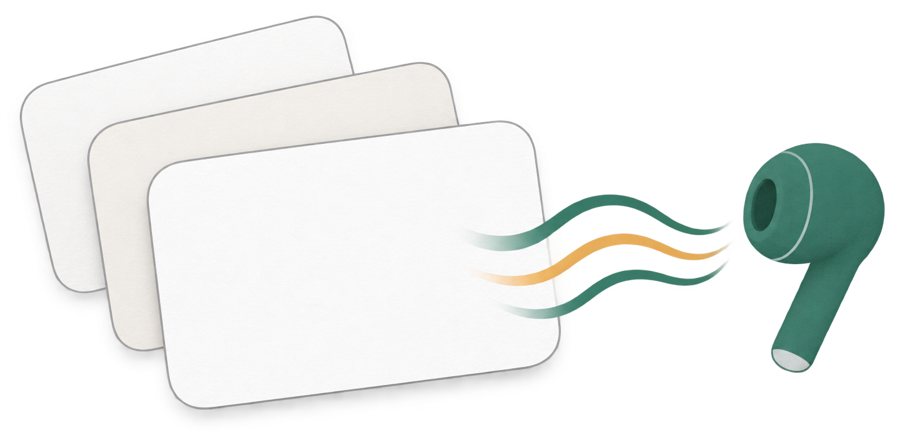
重なった単語帳のカードから、音の波がイヤホンへ流れていく絵

こんな困りごとのために作りました

止めると最初に戻ってしまう

止めたところを、帳ごとに覚えておきます。次はホームの「続きから流す」を押すだけ。何百枚あっても、ランダムで流していても、同じところから続きます。

寝落ちしても流れ続ける

おやすみタイマーで、10・20・30・60分か、1周したところで止まります。

漢字の読みを間違える

「消化管」「終価」のような言葉は、カードに読み(ひらがな)を入れると、その通りに読みます。画面には元の文字が出たままです。

1枚ずつ入れるのが大変

Excel・Numbers・Google スプレッドシートの表をコピーして貼り付けるだけで、何百枚でもまとめて入ります。CSV の読みこみと書き出しもできます。

答えだけ聞きたい・同じカードをくり返したい

問い → 答え/答えだけ/問いだけ、1枚を何回、を選べます。

帳をまたいでランダムに流したい

何冊でも選んで、まとめて順に・ランダムに・苦手の印のカードだけ流せます。

ききおぼえの流れ

帳をつくる

覚えたいことを「問い」と「答え」のカードにします。表から貼り付けても、見本の帳から始めてもかまいません。

流し方を決める

流す帳・読むところ・順番・考える間・速さ・おやすみタイマーを選んで「流す」。

画面を消して聞く

ロック画面とイヤホンのボタンで、止める・前・次。Siri の「ききおぼえで続きを流す」でも始められます。

苦手に印を付ける

覚えにくいカードに印を付けて、印のカードだけを流せます。

できること

読み上げ問い → 考える間 → 答え。答えだけ・問いだけ。1枚を1〜5回。考える間とカードのあいだは0〜10秒、速さは0.5〜2倍
流す範囲帳を何冊でも。順に・ランダム・苦手の印のカードだけ。止めたところから続きを流す
おやすみタイマー10・20・30・60分、または1周で止める
読む声かな・漢字は日本語、ハングルは韓国語のように文字から決めます。帳ごとに「問いは英語・答えは日本語」のように決めることもできます。iPhone に入っている声で読みます
読みカードに読みを入れると、その通りに読みます。編集の画面ですぐに確かめられます
入れる・出す表計算からの貼り付け、CSV(UTF-8・Shift_JIS)の読みこみ、CSV の書き出し
操作ロック画面・イヤホンのボタン、Siri・ショートカット・アクションボタン(続きから流す・止める)
同期帳とカードは、あなたの iCloud で同じ Apple アカウントの iPhone と同期します。機種変更しても残ります
iPhone Duo開いて横にすると、左に今のカード、右に流す順を並べます
広告・課金・登録広告なし・アプリ内課金なし・アカウント登録なし。開発者はデータを集めません

よくある質問

ネットにつながっていなくても使えますか

使えます。読み上げは iPhone の中で行います。iCloud の同期は、つながったときに行われます。

英語や韓国語も読めますか

iPhone に入っている声で、英語・韓国語・中国語・スペイン語・フランス語などを読みます。設定 → アクセシビリティ → 読み上げコンテンツ → 声 で、言葉ごとに「拡張」や「プレミアム」の声を入れると、なめらかになります。

機種変更したら帳はどうなりますか

帳とカードはあなたの iCloud にあります。新しい iPhone で同じ Apple アカウントにサインインしていれば、そのまま使えます。CSV に書き出して残しておくこともできます。

返金はできますか

返金は Apple の規定に従います。reportaproblem.apple.com からお申し出ください。開発者が直接返金することはできません。

使い方のくわしい説明は 使い方とお問い合わせ にあります。

お問い合わせ

不具合や気になることがあれば、ryo.tsuzukihashi@tsuzukit.com までご連絡ください。作っているのは個人開発者の續橋涼(TsuzuKit)です。

Audio flashcards for iPhone

Add questions and answers,
then learn by ear.

Kikioboe reads your own flashcards aloud: the question, a pause to think, then the answer. On the train, while washing dishes, or lying in bed — go over what you want to remember again and again, hands-free and eyes-free.

View on the App Store (coming soon)

A paid app for iPhone. One purchase unlocks everything. No extra charges and no ads.

Stacked flashcards with sound waves flowing into an earbud

Made for these frustrations

Stopping sends you back to the start

Kikioboe remembers your place for each set of decks. Next time, just tap Continue on Home — even with hundreds of cards, even when shuffled.

It keeps playing after you fall asleep

The sleep timer stops after 10, 20, 30, or 60 minutes, or after one full round.

The voice misreads a word

Give a card a pronunciation and it's read exactly that way, while the card still shows your original text.

Adding cards one by one takes forever

Copy a table from Excel, Numbers, or Google Sheets and paste it to add hundreds of cards at once. CSV import and export work too.

I only want to hear the answers, or repeat a card

Choose question → answer, answer only, or question only, and repeat each card up to five times.

I want to shuffle across decks

Pick any number of decks and play them in order, shuffled, or only the cards you flagged as tricky.

How it works

Make a deck

Turn what you want to remember into question-and-answer cards. Paste from a spreadsheet, or start with the sample decks.

Choose how to play

Pick decks, what to read, order, thinking time, speed, and the sleep timer, then tap Play.

Listen with the screen off

Pause, previous, and next from the Lock Screen and your earbuds. Or ask Siri to “Continue in Kikioboe”.

Flag the tricky ones

Flag cards that won't stick and play just those.

Features

ReadingQuestion → pause → answer, answer only, or question only. Each card 1–5 times. Thinking time and gap 0–10 seconds, speed 0.5–2×
What to playAny number of decks, in order or shuffled, or tricky cards only. Continue from where you stopped
Sleep timer10, 20, 30, or 60 minutes, or one full round
VoicesChosen from the text (Japanese for kana and kanji, Korean for Hangul, and so on), or set per deck, like “questions in English, answers in Spanish”. Uses the voices on your iPhone
PronunciationGive a card a pronunciation to change how it's read, and check it right away in the editor
Import & exportPaste from spreadsheets, import CSV (UTF-8 or Shift_JIS), export CSV
ControlsLock Screen and earbud buttons; Siri, Shortcuts, and the Action button (Continue, Pause)
SyncDecks and cards sync through your iCloud with your iPhones on the same Apple Account, and carry over to a new phone
iPhone DuoOpen it sideways to see the current card on the left and the play order on the right
Ads, purchases, sign-upNo ads, no in-app purchases, no account. The developer collects no data

FAQ

Does it work offline?

Yes. Speech runs on your iPhone. iCloud sync happens whenever you're online.

Which languages can it read?

Any language with a voice on your iPhone: English, Spanish, French, German, Japanese, Korean, Chinese, and more. Download Enhanced or Premium voices in Settings → Accessibility → Spoken Content → Voices for smoother reading.

What happens to my decks when I change phones?

They're in your iCloud. Sign in with the same Apple Account on the new iPhone and they'll be there. You can also export each deck as CSV.

Can I get a refund?

Refunds follow Apple's policies. Request one at reportaproblem.apple.com. The developer can't issue refunds directly.

For detailed instructions, see Help & Contact.

Contact

For bugs or questions, email ryo.tsuzukihashi@tsuzukit.com. Kikioboe is made by Ryo Tsuzukihashi, an independent developer (TsuzuKit).